

Latest Version
January 22, 2026
Polaris Vortex
Tools
Android
1
$1.00
com.polarisvortex.addefender
Report a Problem
More About Ad Defender – Firewall
Ultimate Guide to Android VPN: Enhance Your Privacy and Security
In today's digital age, safeguarding your online privacy is more crucial than ever. With the rise of cyber threats and data breaches, utilizing Android's built-in VPN interface can significantly enhance your security. This article delves into how you can filter and monitor your traffic locally, ensuring that your data remains secure and private.
Why Use Android's Built-in VPN Interface?
Android's built-in VPN interface offers a robust solution for users looking to protect their privacy. By filtering and monitoring traffic directly on your device, it ensures that no data leaves your device without your consent. This local approach not only enhances security but also provides users with greater control over their online activities.
Key Features of the Android VPN Interface
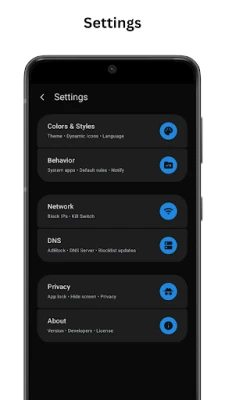
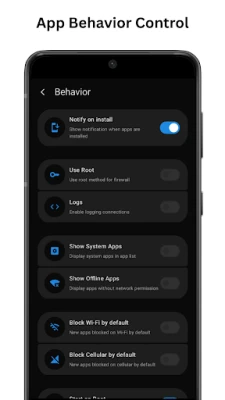
- 📝 Root / VPN Mode: Choose between root mode for complete access or VPN mode for non-rooted devices, allowing flexibility based on your device's configuration.
- 🌟 Material 3 Interface: Enjoy a sleek and intuitive design that enhances your overall Android experience, making navigation seamless.
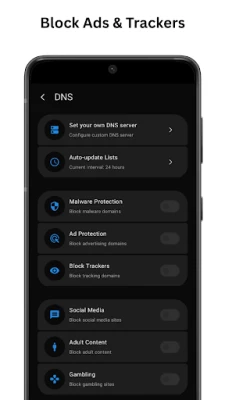
- 🔒 DNS Filtering: Utilize custom or predefined DNS lists to block unsafe or unwanted domains, ensuring a safer browsing experience.
- 🚀 Logs & Insights: Keep track of real-time network activity and domain access, providing transparency in your online interactions.
- 🔐 Install Notifications: Receive alerts whenever new apps are installed, allowing you to manage permissions effectively.
- ⚡ Performance Optimized: The VPN operates efficiently, consuming minimal battery while maintaining high performance.
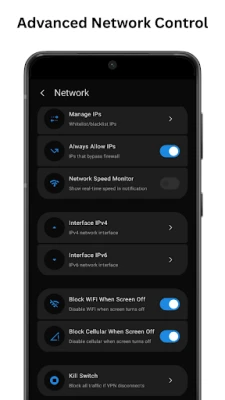
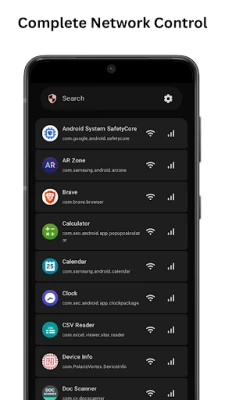
- 📶 Network Control: Manage Wi-Fi and mobile data permissions on a per-app basis, giving you granular control over your network access.
- 🧭 Packet Tracing: Access detailed connection information for diagnostics, helping you troubleshoot any network issues.
Why Choose Ad Defender for Your Android VPN Needs?
Ad Defender stands out as a premier choice for users seeking to enhance their online security. Here are several reasons to consider this application:
- Data Protection: Ad Defender effectively safeguards your data from malicious and unsafe domains, providing peace of mind while browsing.
- Offline Functionality: The app operates entirely offline, eliminating the need for remote servers and enhancing your privacy.
- Compatibility: Fully functional on both rooted and non-rooted devices, making it accessible to a wide range of users.
- Visibility: Gain clear insights into all network activity, allowing you to monitor your online presence effectively.
- Flexible Configurations: Enjoy customizable DNS and firewall settings for ultimate privacy control.
Transparency and Compliance
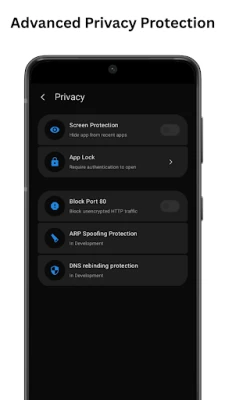
Ad Defender prioritizes user privacy and transparency. The application does not interfere with third-party apps or services, ensuring that all filtering and analysis occur locally on your device. This approach guarantees compliance with Play Store policies while maintaining your privacy.
Conclusion: Take Control of Your Online Privacy
In an era where online security is paramount, utilizing Android's built-in VPN interface through applications like Ad Defender can significantly enhance your privacy. With its array of features, user-friendly design, and commitment to transparency, you can navigate the digital landscape with confidence. Protect your data, manage your app permissions, and secure your network from unwanted connections today.
Source Code and Credits
Ad Defender is based on Athena by Kin69, licensed under GNU GPL v3, and has been modified and enhanced by Polaris Vortex in accordance with the license. For those interested in the technical aspects, the source code is available at the following link:
By leveraging the power of Android's built-in VPN interface, you can take proactive steps to protect your online privacy and enjoy a safer browsing experience.
Rate the App
User Reviews















Popular Apps










Editor's Choice









