

Latest Version
2.4.1.583132255
December 31, 2025
Google LLC
Tools
Android
0
Free
com.google.android.apps.accessibility.auditor
Report a Problem
More About Accessibility Scanner
Enhancing App Accessibility: Unlocking a Wider Audience and Boosting User Satisfaction
Improving the accessibility of your application can significantly expand your audience reach and create a more inclusive experience, particularly for users with disabilities. By prioritizing accessibility, you not only foster inclusivity but also enhance user satisfaction, elevate app ratings, and increase user retention.
Why Accessibility Matters
Accessibility is not just a legal requirement; it’s a moral obligation. By making your app accessible, you ensure that everyone, regardless of their abilities, can enjoy its features. This commitment to inclusivity can lead to a loyal user base and positive word-of-mouth, ultimately driving your app's success.
Utilizing Accessibility Scanner for Improvement
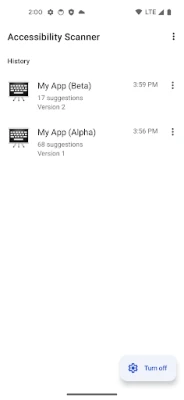
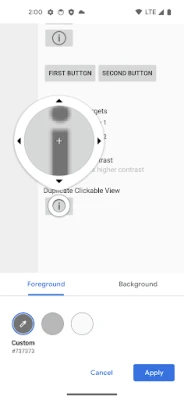
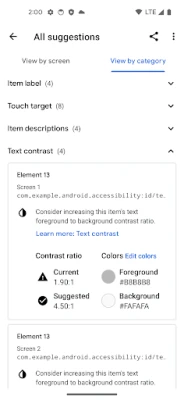
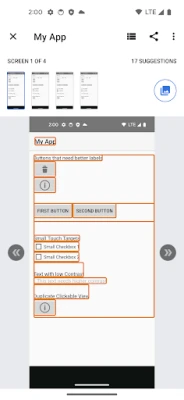
The Accessibility Scanner is a powerful tool that provides actionable insights to enhance your app's accessibility. It identifies potential issues and suggests improvements that can be easily shared with your development team. This collaborative approach ensures that everyone is on the same page when it comes to implementing necessary changes.
Getting Started with Accessibility Scanner
To leverage the benefits of the Accessibility Scanner, follow these simple steps:
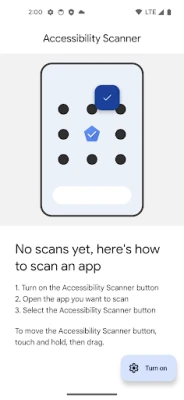
- Open the Accessibility Scanner app and follow the prompts to activate the service.
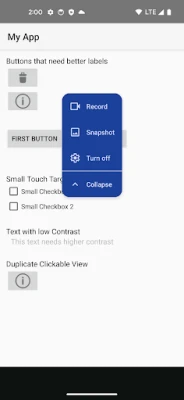
- Navigate to the app you wish to analyze and tap the floating Accessibility Scanner button.
- Select whether to perform a single scan or record an entire user journey across multiple interfaces.
For comprehensive instructions, refer to the Getting Started Guide.
Visual Learning: Watch the Accessibility Scanner in Action
For a quick overview of how the Accessibility Scanner operates, check out this short video. It provides a visual demonstration of the tool's capabilities and how it can assist in making your app more accessible.
Understanding Permissions and Privacy
As an accessibility service, the Accessibility Scanner requires specific permissions to function effectively. While active, it retrieves window content and observes user actions to provide accurate feedback. This ensures that the suggestions offered are relevant and tailored to improve the user experience.
Conclusion: The Path to an Inclusive App
By prioritizing accessibility in your app development process, you not only comply with regulations but also create a welcoming environment for all users. The Accessibility Scanner serves as a valuable resource in this journey, offering insights that can lead to significant improvements. Embrace accessibility today to enhance user satisfaction, boost app ratings, and foster a loyal user community.
Rate the App
User Reviews















Popular Apps










Editor's Choice









