

Latest Version
1.14
May 20, 2026
Tools App Creators
Communication
Android
2
Free
com.forceltemodefourg.lte.wifitools.paaswords.mode
Report a Problem
More About 4G Lte Only mode: Wifi tools
Unlocking the Power of 4G: The Ultimate Guide to Network Optimization
In today's fast-paced digital world, having a reliable and fast mobile network is essential. However, some phone brands limit users' ability to switch to a 4G-only network, which can hinder performance. This article explores the features of a powerful 4G network software that can enhance your connectivity experience, regardless of your device's compatibility.
Key Features of 4G Network Software
When it comes to optimizing your mobile network, the right software can make all the difference. Here are some standout features that can help you achieve superior network performance:
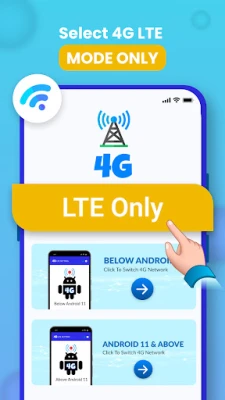
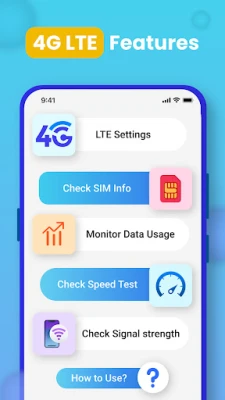
- Switch to 4G-Only Network Mode: Enjoy a stable and fast internet connection by locking your device into 4G LTE mode. This feature is particularly useful in areas with fluctuating network coverage.
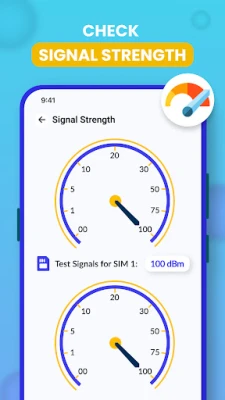
- Network Signal Strength Monitoring: Keep track of your signal quality in real-time, ensuring you are always connected to the best available network.
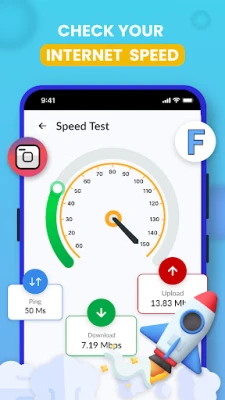
- Internet Speed Testing: Measure your download and upload speeds, as well as ping times, with an integrated speed test tool.
- Data Usage Tracking: Monitor your data consumption to avoid exceeding your limits, with detailed insights into daily, weekly, and monthly usage.
- SIM and Device Information: Access essential details about your SIM card and device, including IMEI numbers and network types.
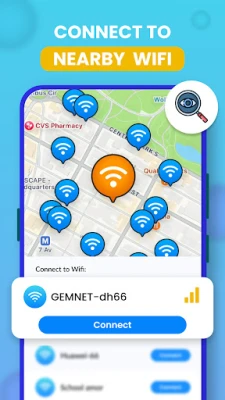
- WiFi Network Detection: Discover nearby WiFi networks to connect to the best available option, whether at home, in a café, or at work.
- WiFi Device Management: Check how many devices are connected to your WiFi network, helping you manage bandwidth and detect unauthorized access.
- Detailed WiFi Information: Get comprehensive data about your WiFi connection, including IP address, gateway, and network speed.
1. Switch to 4G-Only Mode
Say goodbye to inconsistent signal strength! The ability to force your device to connect exclusively to the 4G LTE network ensures a faster and more reliable internet experience. This feature is particularly beneficial in areas with weak coverage, allowing you to maintain a stable connection.
2. Internet Speed Test: Your Connectivity Companion
Wondering if your internet speed meets your needs? The built-in speed test tool provides accurate measurements of your download and upload speeds, along with ping times. This feature allows you to assess your network performance and make necessary adjustments for optimal connectivity.
3. Network Signal Strength Monitoring
Stay informed about your network quality at all times. The app allows you to check the strength of your 4G, 3G, or 2G signal in real-time, ensuring you are always connected to the best possible network. This feature is crucial for maintaining a seamless online experience.
4. SIM & Device Information
Gain valuable insights into your phone and SIM card with the 4G LTE switcher app. Whether you need to find your IMEI number or check your network type, this feature consolidates all essential information in one convenient location.
5. Data Usage Tracking
Concerned about exceeding your data limit? The app allows you to track your data usage in detail, helping you optimize your plan and avoid unexpected overages. With features like the 4G Finder, you can ensure you have enough data when you need it most.
6. Nearby WiFi Network Detection
Finding a reliable WiFi connection has never been easier. The WiFi scanner feature helps you discover nearby networks, allowing you to connect to the best available option. Whether you're at home, in a café, or at work, quickly locate and connect to the WiFi network that suits your needs.
7. WiFi Device Checker
Curious about how many devices are connected to your WiFi? The app makes it easy to check the number of devices using your network at any given time. This feature is essential for managing your bandwidth and ensuring that unauthorized devices are not consuming your resources.
8. Detailed WiFi Information
Get in-depth information about your WiFi connection, including your IP address, gateway, and network speed. This comprehensive data allows you to monitor and manage your WiFi network efficiently, ensuring optimal performance.
Conclusion: Empower Your Connectivity
The 4G LTE network software is a game-changer for users looking to enhance their mobile and WiFi connectivity. With features designed to optimize network performance, monitor data usage, and provide detailed insights, you can take full control of your connectivity experience. Whether your device supports the Force LTE Only mode or not, this app equips you with the tools needed to ensure a stable and fast internet connection. Don't let your phone brand limit your connectivity—unlock the full potential of your network today!
Rate the App
User Reviews















Popular Apps










Editor's Choice









