

Latest Version
1.36
March 14, 2026
Appy Creators
Tools
Android
0
Free
fourg.fiveg.ltemode.speed.test.tools.wifi
Report a Problem
More About 4g lte only mode: Wifi tools
Unlocking the Power of 4G LTE: Your Ultimate Network Analyzer
Are you tired of experiencing network drops, sluggish connections, or unreliable signals? The 4G LTE Network Analyzer app is your solution! With its robust features and tools, you can take command of your mobile network and WiFi connections, ensuring optimal signal strength, stable internet speeds, and comprehensive insights into your data usage.
1. Switch to 4G-Only Mode for Uninterrupted Connectivity
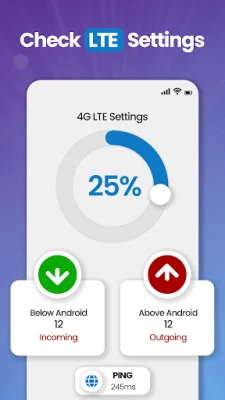
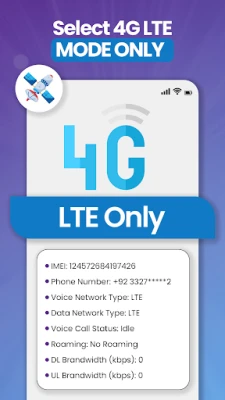
Eliminate signal fluctuations once and for all! The 4G LTE Network Analyzer allows you to force your device into a 4G-only mode, ensuring a stable and faster internet experience. Whether you find yourself in an area with weak network coverage or simply prefer the speed of 4G, this feature guarantees that you are always connected to the fastest available network.
2. Measure Your Internet Speed with Precision
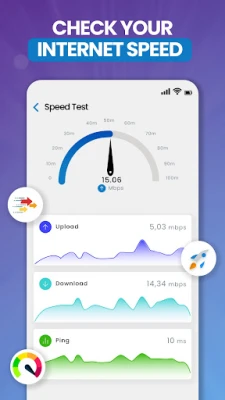
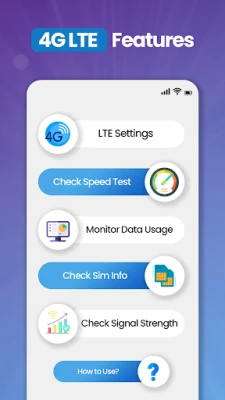
Wondering if your internet speed meets your needs? The app includes a built-in internet speed test tool that delivers accurate results. Measure your download and upload speeds, as well as ping times, to ensure your connection is performing at its best.
3. Monitor Network Signal Strength in Real-Time
Stay informed about your signal quality at all times. The app allows you to check the strength of your 4G, 3G, or 2G signal in real-time, ensuring that you are always connected to the best possible network. With this feature, you can make informed decisions about your connectivity.
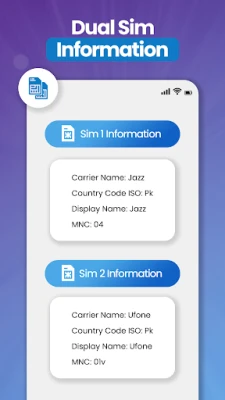
4. Access Detailed SIM and Device Information
Gain valuable insights into your phone and SIM card with ease. Whether you need information such as your IMEI number, network type, or SIM card details, the 4G LTE Network Analyzer provides all the essential data in one convenient location, making it easier than ever to manage your device.
5. Track Your Data Usage Effectively
Concerned about exceeding your data limit? The app allows you to track your daily, weekly, or monthly data usage in detail. With the 4G Finder feature, you can optimize your data plan, ensuring you never run out of data when you need it most.
6. Discover Nearby WiFi Networks Instantly
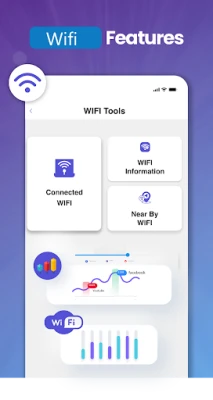
Looking for a reliable WiFi connection? The 4G LTE Network Analyzer’s WiFi scanner helps you discover nearby networks, allowing you to connect to the best available option. Whether you’re at home, in a café, or at work, quickly locate and connect to the WiFi network that meets your needs.
7. Check Connected Devices on Your WiFi Network
Curious about how many devices are connected to your WiFi? The app makes it easy to see how many devices are using your network at any given time. This feature helps you manage your bandwidth effectively and detect any unauthorized devices connected to your network.
8. Access Comprehensive WiFi Information
Get in-depth information about your WiFi connection, including your IP address, gateway, and network speed. The app provides everything you need to monitor and manage your WiFi network efficiently, ensuring you have the best possible experience.
Disclaimer for 4G LTE Only Mode
While we strive to provide the most accurate network data and estimates, please note that certain features may depend on your device, carrier, and region. We are continuously working to enhance accuracy for an even better user experience. Additionally, please be aware that when in LTE mode, you may not receive calls.
In conclusion, the 4G LTE Network Analyzer app is an essential tool for anyone looking to optimize their mobile and WiFi connections. With its array of features, you can ensure a stable internet experience, monitor your data usage, and gain valuable insights into your network performance. Download the app today and take control of your connectivity!
Rate the App
User Reviews















Popular Apps










Editor's Choice









